the really small
SOFTWARE COMPANY
RISC OS | Miscellaneous
Mermaid
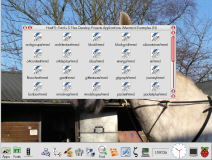
Mermaid is a mermaid diagram viewer.
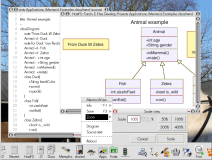
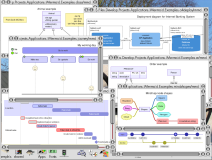
Mermaid displays a Mermaid diagram both as source text and as a rendered diagram, and saves the diagram as a Drawfile.
Supported diagrams:
- Process Flowchart - Shows steps, decisions and connections within a process or workflow.
- State Transition Diagram - Shows the states a system can occupy and the events that move it between them.
- Class Diagram - Describes software classes, their properties and methods, and relationships such as inheritance.
- Entity Relationship Diagram - Models data entities, their attributes and the relationships between them.
- Project Schedule (Gantt) - Plots tasks, durations, dependencies and milestones against a calendar.
- Mind Map - Organises ideas into branches around a central topic.
- Event Timeline - Presents events or milestones in chronological order.
- System Context (C4) - Shows a system's boundaries and its relationships with people and external systems.
- Application Structure (C4) - Shows the applications, services and data stores that make up a software system.
- Component Structure (C4) - Shows the internal components of an application or service and how they connect.
- Runtime Interactions (C4) - Shows the ordered interactions between architectural elements during a particular scenario.
- Deployment Architecture (C4) - Maps software instances onto the infrastructure and environments where they run.
- Hierarchical Treemap - Uses nested rectangles to show categories and subcategories, with area representing value.
- Radar Comparison Chart - Compares multiple subjects across several measures arranged around a circular chart.
- Service Architecture Diagram - Shows services, infrastructure resources and their connections, organised into logical groups.
- Network Packet Layout - Shows the fields within a network packet, including their sizes and bit positions.
- Kanban Task Board - Organises task cards into columns representing stages such as To Do, In Progress and Done.
- Block Diagram - Represents connected components as blocks, with explicit control over their layout.
- Sankey Flow Chart - Shows quantities moving between categories, with connection widths proportional to the amounts.
- Bar and Line Chart - Plots numerical data using bars, lines or both against horizontal and vertical axes.
- Quadrant Comparison Chart - Positions items against two measures within four labelled quadrants.
- Requirements Traceability Diagram - Connects requirements to related requirements and the elements that satisfy or verify them.
- Git Branch History - Illustrates commits, branches and merges within a Git repository.
- User Journey Map - Maps a user's tasks and experience across the stages of a process.
- Pie Chart - Shows how individual categories contribute to a total using proportional slices.
Requirements


Useful links
It may be necessary to install some or all of the following software in order for Mermaid to work on your computer:
System resources
Resources, including Toolbox modules for pre RISC OS 5 from RISC OS Open
© Copyright 1995-2026 Richard Windley
Contact Us | Privacy | Cookies